Gym Rat: The Notion Database
In an earlier post I talked about my Notion powered fitness app, Gym Rat. This part of the series covered the backing “database”, Notion. I wanted to use Notion because (1) I’m a big fan (I worked there!) and (2) I like the idea of having direct access to the database. More recently I’ve created other tooling to generate workouts, but I liked getting the admin out-of-the-box here.
I’ll write about the codebase in more detail soon, but one choice you might wonder about is performance. Is this fast to load and run? For my purposes, it wasn’t a big concern of mine – I didn’t build this app to serve millions of users and so a basic, naive implementation works fine for me. There’s no cache, no polling to Postgres, none of that… it’s just Notion.
One of my golden rules was that Notion still needs to be Notion. I wanted to be able to add blocks and content as I normally would inside of these docs and then my application would just “know” how to get the content. I felt anything else defeated the power of Notion. Again, I’ll cover how I accomplished this in the subsequent post. For now, let’s get to the structure of the database.
The setup.
My workouts are heavily inspired by the gym I went to prior to bringing this into my garage. I asked the owner there for a few example workouts to get me started, which looked like this:
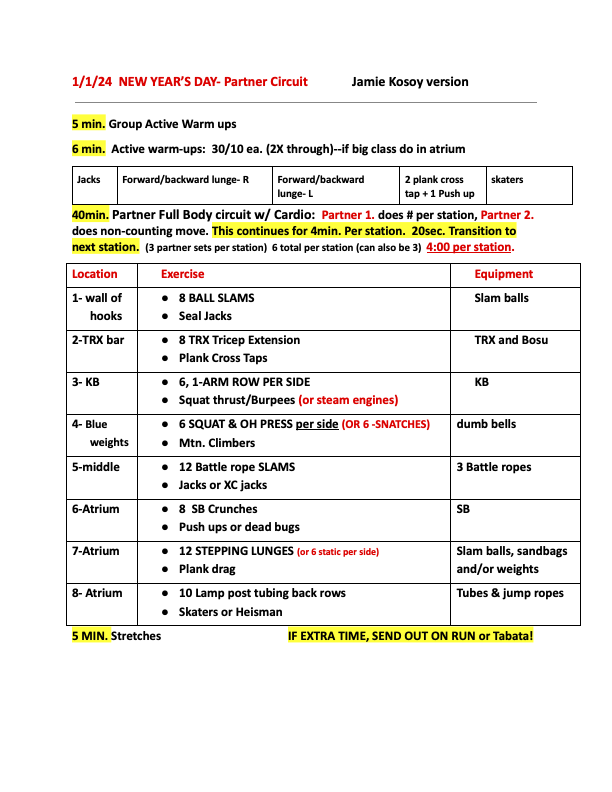
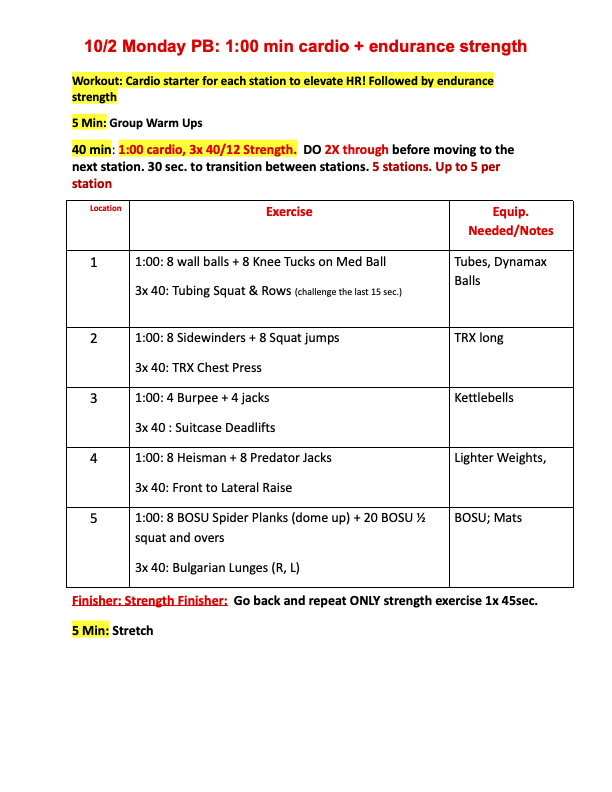
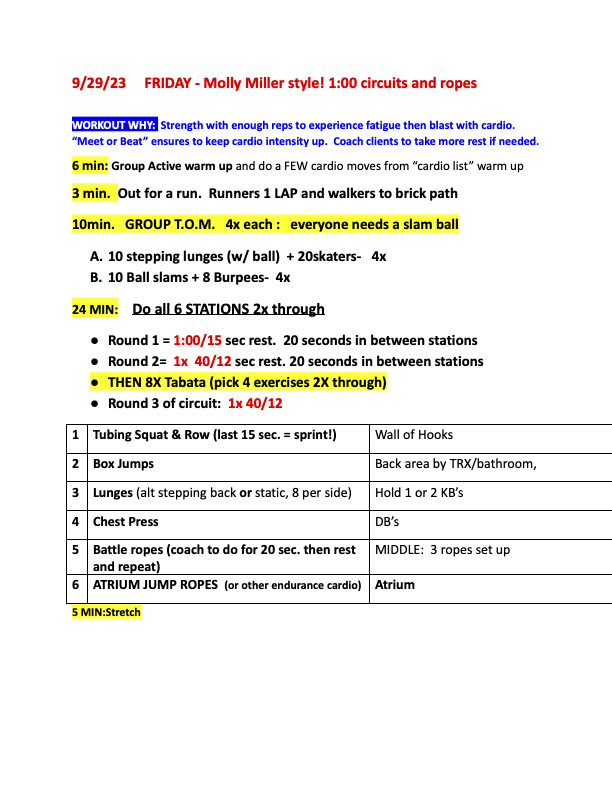
I abstracted that to a basic ruleset: A workout is comprised of circuits which are comprised of moves. Ontology aside, I set out to stress test this framework.
Workouts
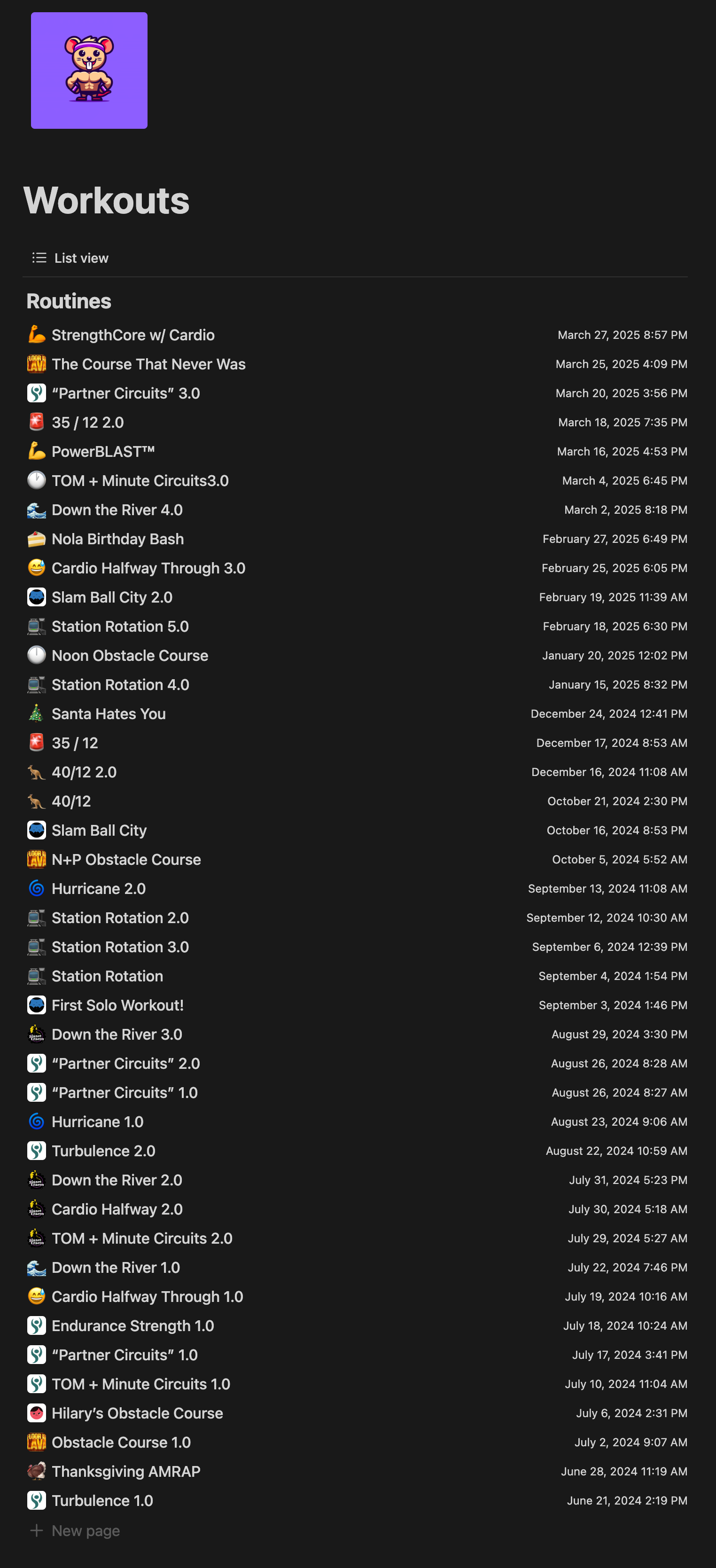
A Workout is a collection of Circuits. The schema here is intentionally minimal - just a name and a recovery time representing the rest period between circuits. Almost all the interesting stuff lives one level down. Each page inside the Workout database can contain any content I want, but must have at least one inline database for Circuits. I have a template that makes this easy to create.
Circuits
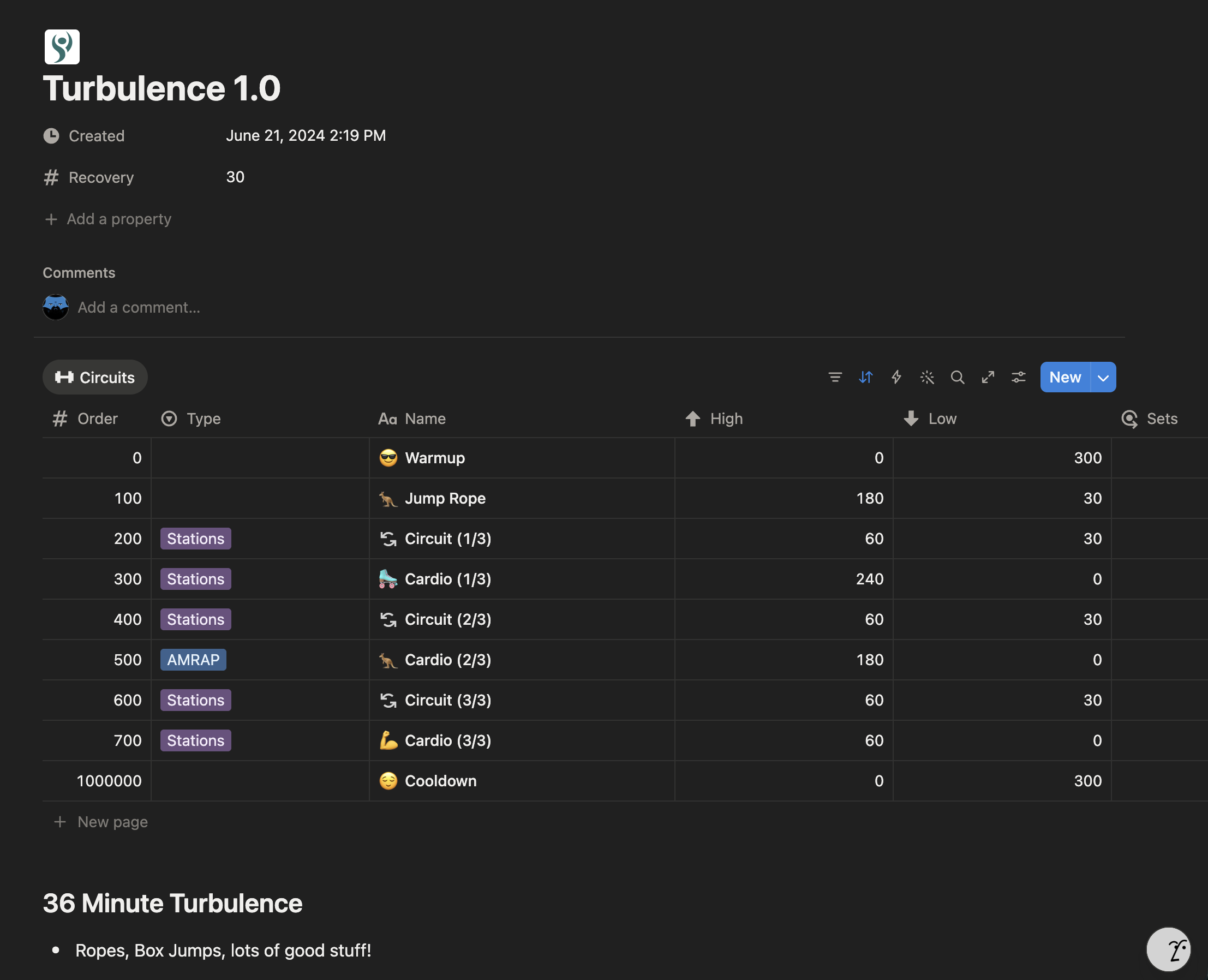
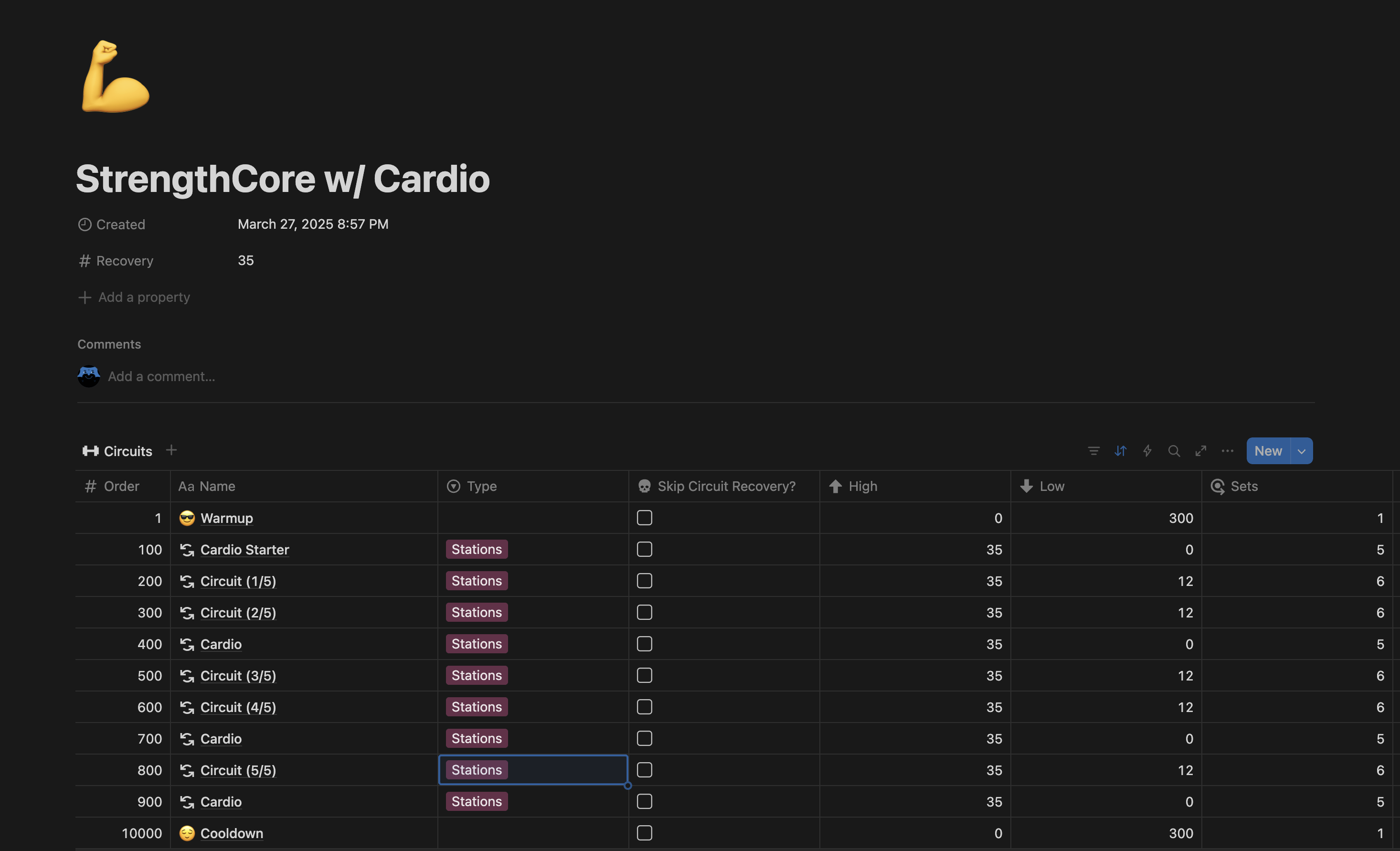
Circuits are where the workout actually gets defined. Each Workout page contains an inline Circuits database, and each Circuit has a handful of fields that control how it runs in the app.
Type is the most important one. A Circuit can be one of three things:
- AMRAP (as many reps as possible in a time window),
- Stations (fixed time per move, cycling through)
- Manual Reps (I count, not the clock).
The High and Low fields define the time range for the circuit - assuming it’s not a manual rep set, high will be the time I’m doing the move(s) and low is a brief rest before the next station.
Sets controls how many rounds. The circuit instructs the app how this should work.
“Skip Circuit Recovery” lets me chain two circuits back to back without a rest. I might use this to chain two cardio circuits together, then get a brief rest before jumping to strength.
You might also notice the Order field – this is needed for the Notion API. I couldn’t figure out how to control the order of information back without it. Similar to CSS z-index, it is an arbitrary number – the lower it is, the earlier it happens in the circuit. Unsurprisingly I sort this in Notion as well so I can see what I’m doing and in what order.
So what’s inside a circuit? Moves, which is discussed further down.
Moves
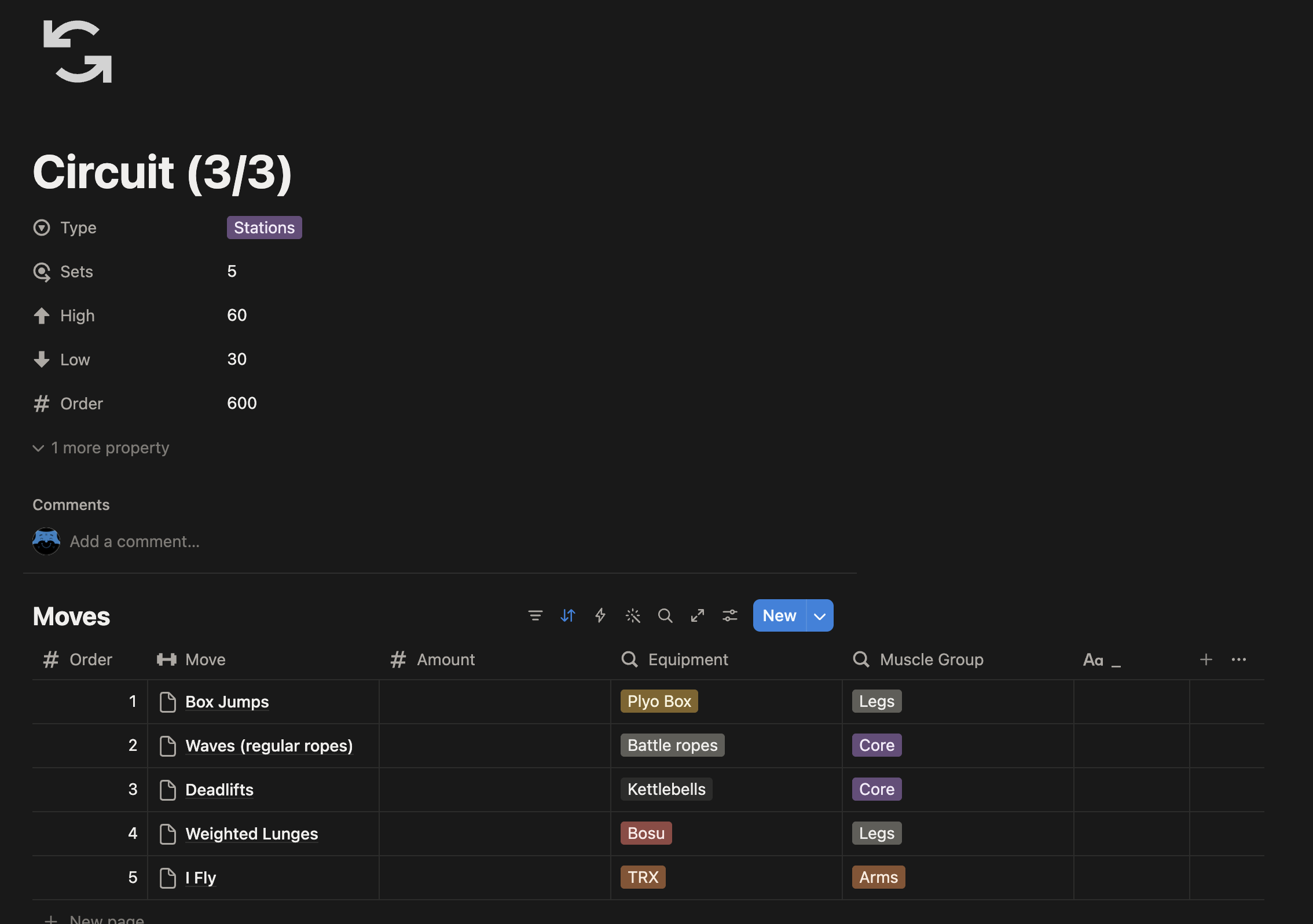
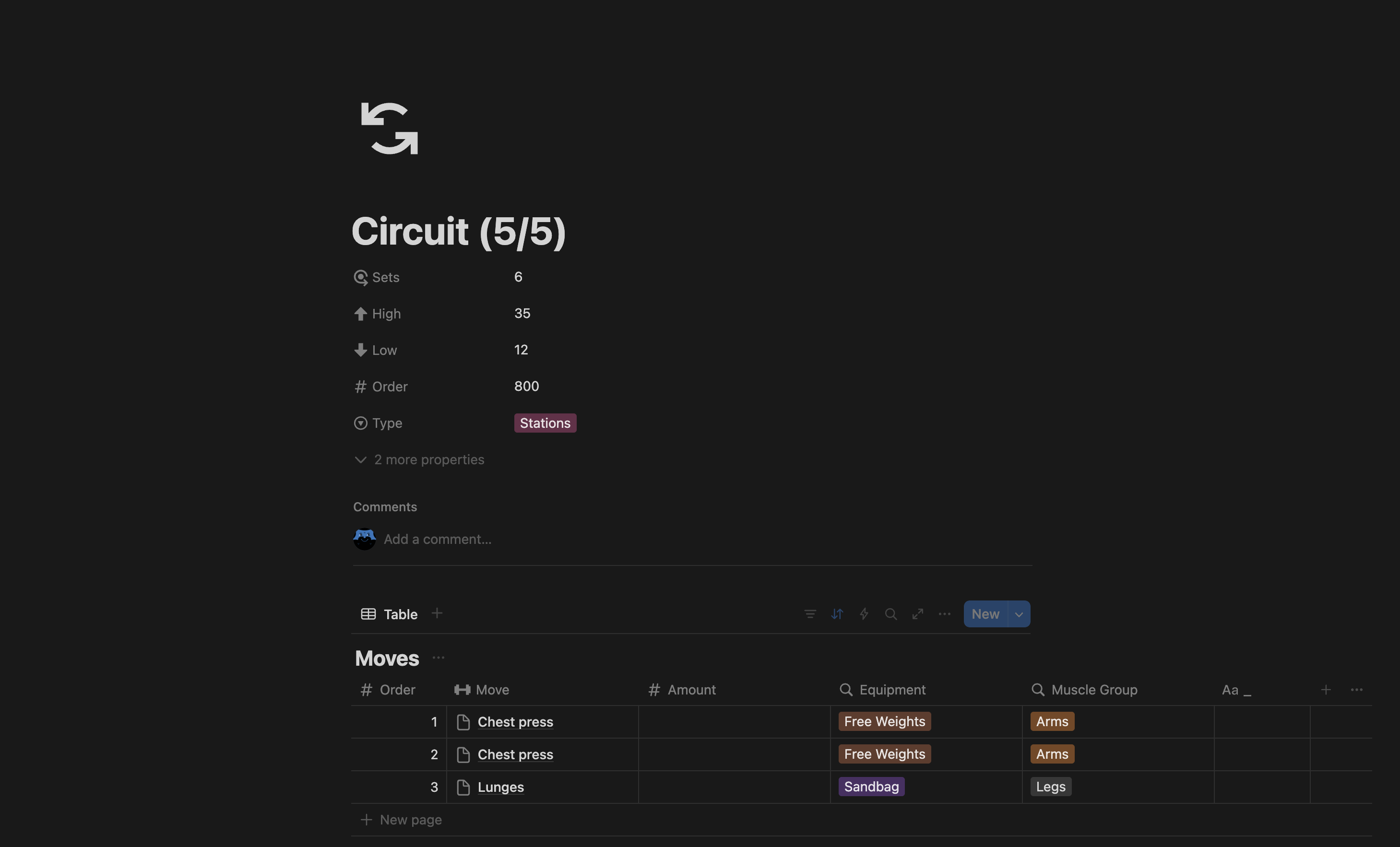
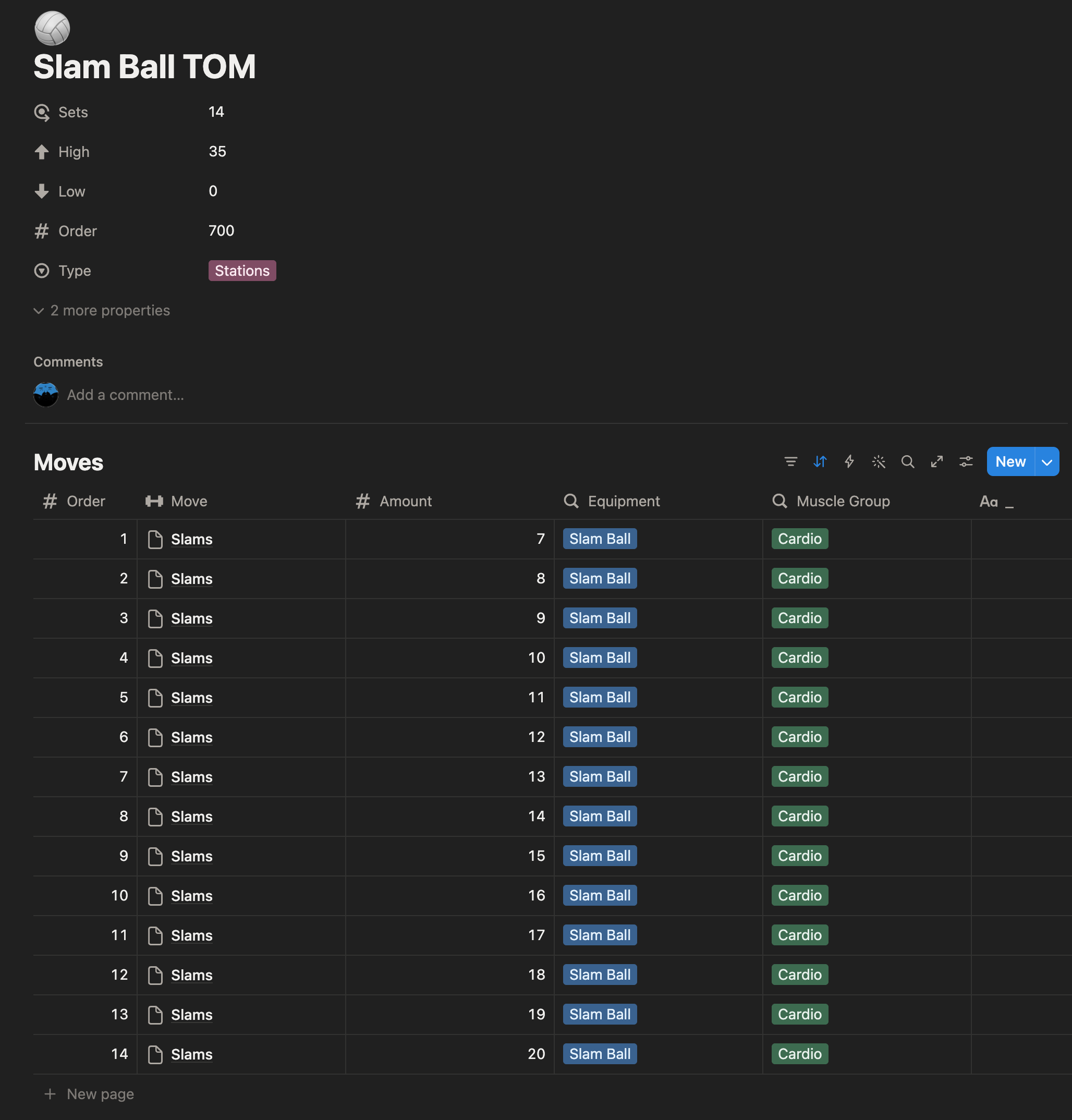
Each Circuit page has its own inline Moves database. The atomic unit for my workouts is a Move. Moves are jumping jacks, deadlifts, or anything else you could conceivably do during a workout. Each move gets categorized with a specific kind of Equipment (free weights, body weight, etc) to allow for sorting. This means I have to duplicate moves that could be with different kinds of equipment - rows exist for TRX, again for kettlebells and so on - but I felt that was an acceptable trade to keep sorting and grouping simple. It also means I’ve got a big, easy menu to read of moves as I scroll Notion.
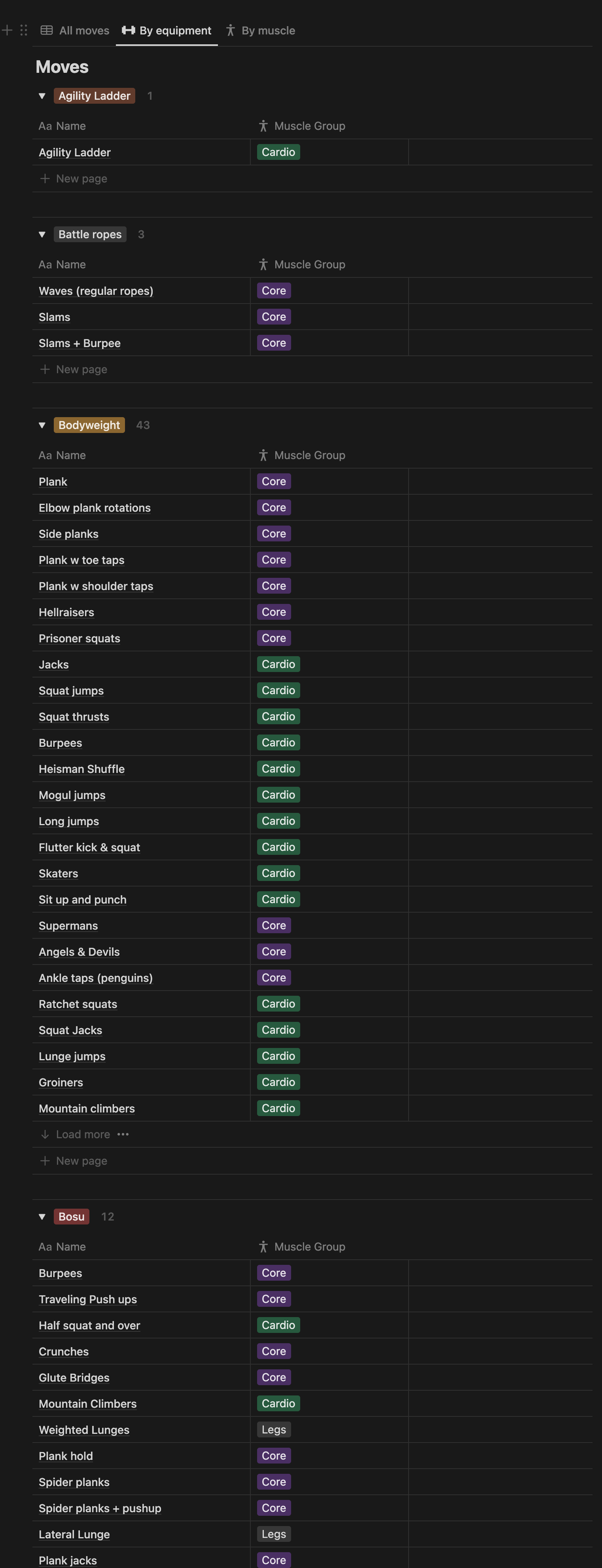
The rows in the inline Moves database aren’t standalone move definitions - each one has a relation property back to a “global” Moves table (pictured below). With that, I can use the same move across as many circuits as I want without duplicating the underlying data. The global Moves table stays the source of truth; the inline database is just a list of instances. I can then use rollup fields to get the equipment and muscle group which I can display in the app.
Besides the equipment, I also have Order (for the same reason as the Circuits property), and an optional Amount (e.g. 10 jumping jacks). I also have an “undocumented” property, Group, which allows me to have two moves bundle together at the same time in the app. For example, I might want a set where I do 10 jumping jacks and then 10 pushups for 30 seconds. Grouping is done numerically – same number means it happens at the same time.
One thing I want to add is a visual of each move as part of the documentation for each move. As I learn new techniques exist or get new equipment, I’d like to be able to reference back to proper form. My super ideal state is a consistent visual - a video looping of straight on and profile view - so I can pull that into the app to play as I’m working out. For now, since I know how to do all of these reasonably well I don’t spend too much time worrying about it.
Putting it all together
Let’s imagine a workout with the following circuit:
- Type: “Stations”
- Sets: 10
- High: 30
- Low: 10.
In the app that will mean I go through each move (or group of moves) in the Circuit one at a time for 30 seconds of work and 10 seconds of rest before the circuit ends, at which point I will hit the Workout’s recovery time for a water break.
This setup lets me create highly expressive workouts. Some workouts even have a single 25 minute AMRAP set - an obstacle course. As of this writing I have over sixty unique workouts, making it easy for me to feel varied and surprised each time I work out.
In the next part I’ll cover how this all works in code, and future chapters will cover the Google TV wrapper and other apps I’ve put together since.